
|
|
eCourts Portal of Western Australia - Help: Criminal Injuries Compensation (CIC) Recoveries |

To create a payment arrangement for CIC debt you do not need to register an account or be logged in. If you have previously had a CIC payment arrangement that has been cancelled, then you will need to contact CIC to set-up a new one.
01. From the home screen click Pay CIC Recoveries.
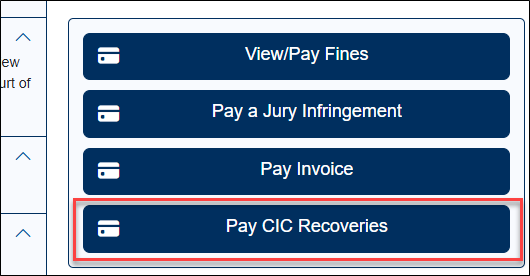
The CIC Recoveries screen displays.
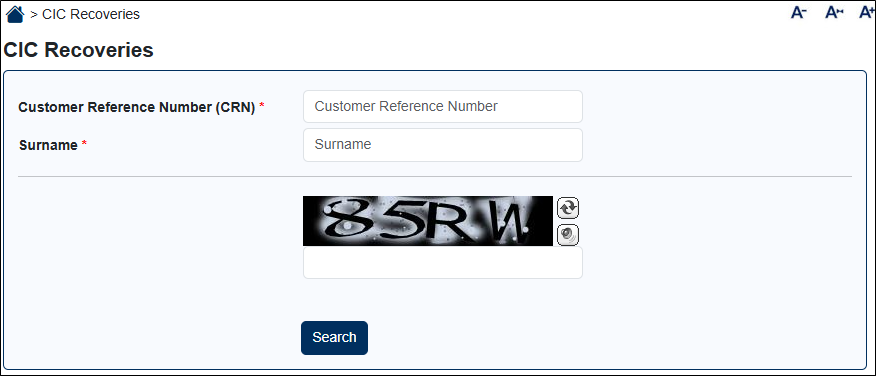
02. Enter the person’s CRN and Surname.
Details are entered.
03. Enter the captcha code.
The captcha code is entered.
04. Click Search.
The CIC debt(s) for the person are displayed.
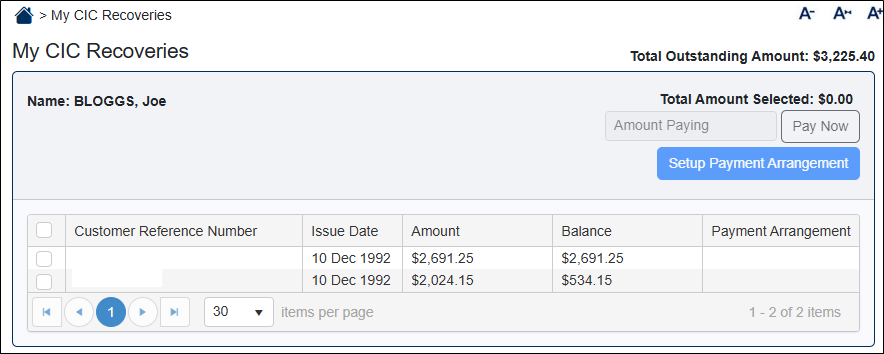
05. To create a payment arrangement, select which debts you wish to include in the payment arrangement.
A tick appears against these ones and the Setup Payment Arrangement button becomes active.
06. Click the Setup Payment Arrangement button.
The Payment Arrangement screen displays.
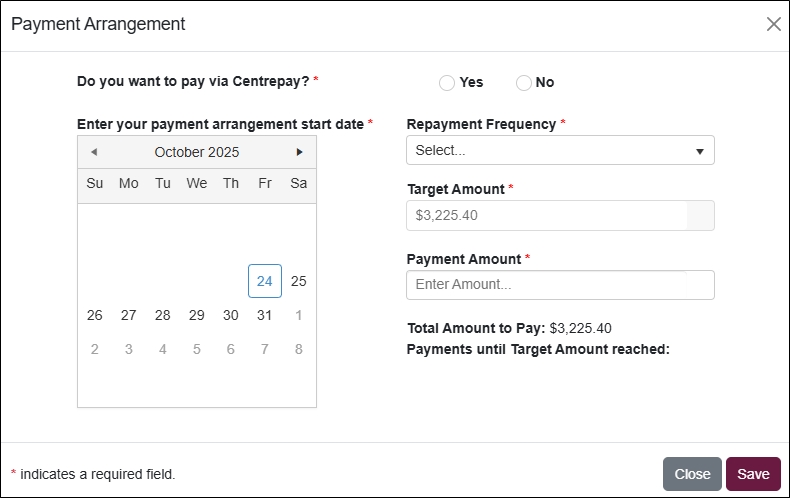
06. Indicate whether you wish to pay via Centrepay or not.
Additional fields appear that must be completed if Yes is selected.
Repayment Frequency can only be fortnightly if Yes is selected.
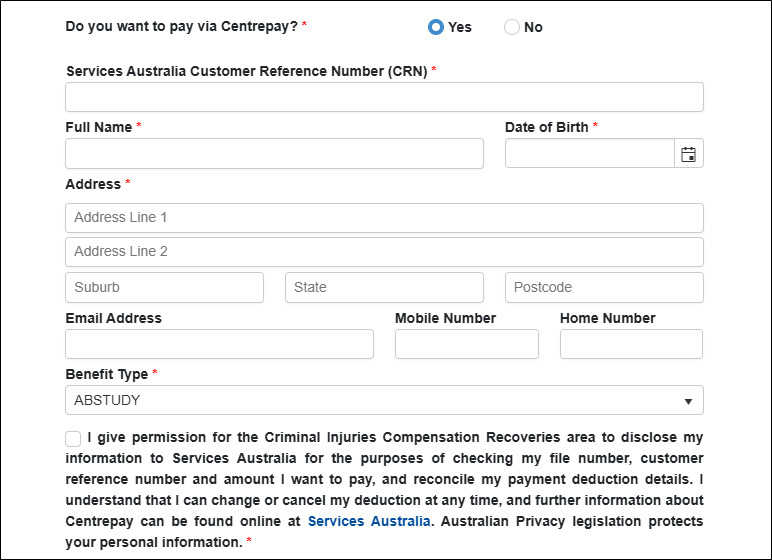
07. If you selected Yes, then complete the additional Centrepay fields, plus the standard payment arrangement fields.
If you selected No, then just complete the standard payment arrangement fields.
All required fields are completed.
08. Click Save.
The Payment Arrangement popup closes.
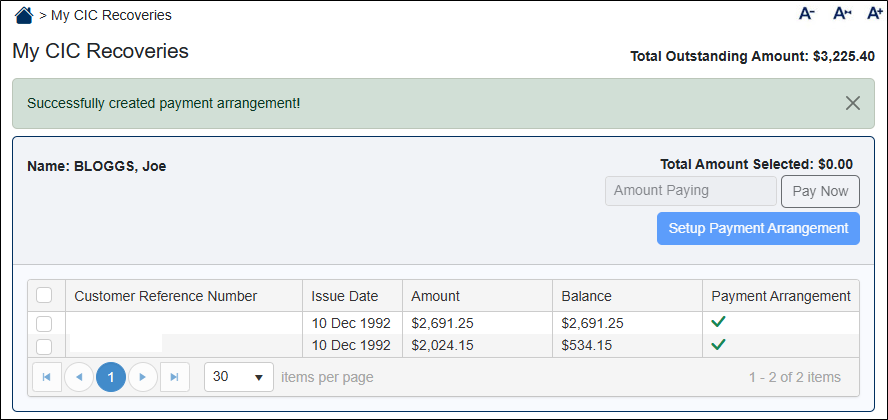
A message appears on screen stating that the payment arrangement was created.
The Payment Arrangement column for each selected debt indicates that a payment arrangement now exists.
NOTE: If you selected to pay via Centrepay, then CIC will contact you to verify your details before setting up the deductions.