|
|
eCourts Portal of Western Australia |
|
Help and support |

Register an eCourts Portal account - Locate your matter details
Do you have an existing matter?
If you already have a matter in a WA court or the State Administrative Tribunal (SAT), you must enter the details of that matter when registering your eCourts Portal account.
Your account will be linked to your existing Court/SAT matter(s), allowing you to access eCourts Portal services, including:
- View your matter's details
- Receive and view copies of documents issued by the court/SAT (where available)
- Lodge documents on your matters (where available)
- View your upcoming hearings
What is a "matter number"?
The matter number is a reference number that appears on your court/SAT documents.
Depending on the jurisdiction, it may be labelled as:
- Case number
- File number
- Matter number
- Charge number
What is a Person ID / Organisation ID / Party ID?
This number is unique to you (or your organisation).
If the document includes this number, it may appear beside your name and other personal details.
|
NOTE: Your Person/Organisation/Party ID does not appear on all your court/SAT documents. |
What if I have multiple matters?
If you have multiple matters, you should register using the matter that is most relevant to you at this time.
When you log in to your new account, you may find that some/all of your other matters are already linked.
If any of your other matters are not linked, contact the relevant registry for assistance.
Where do I find the matter number?
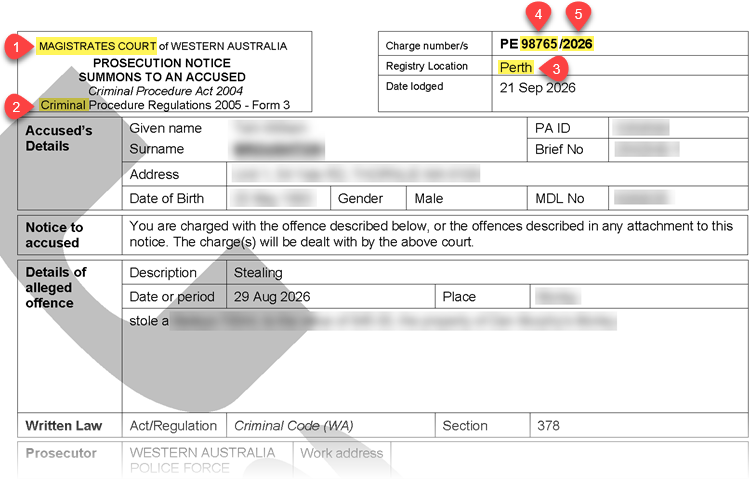
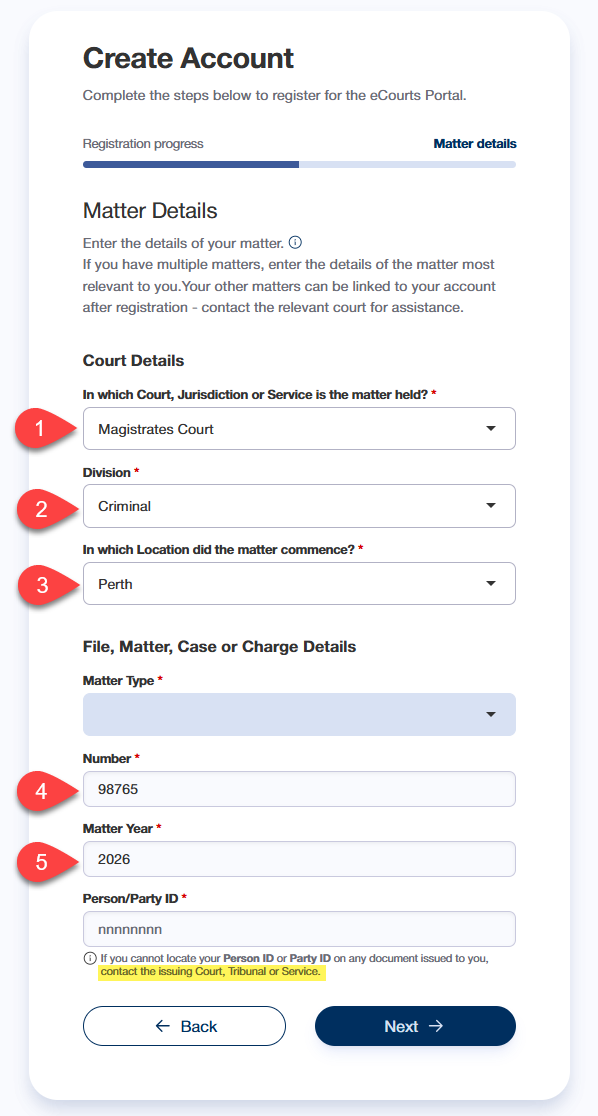
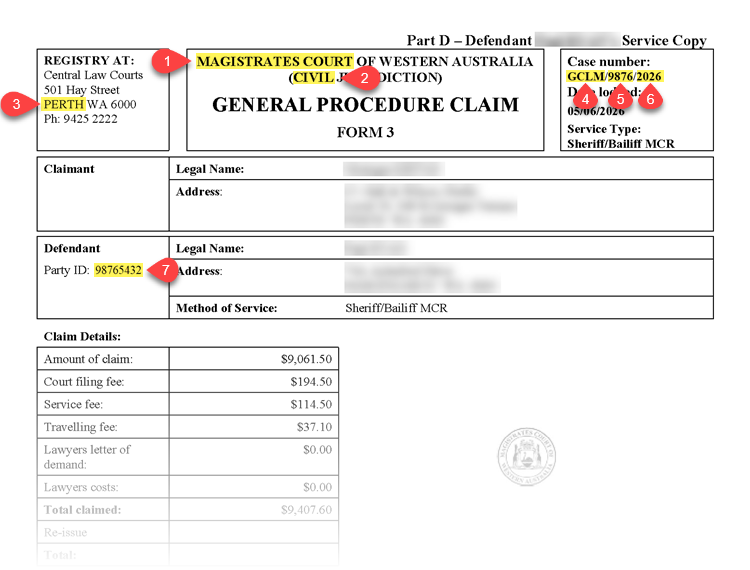
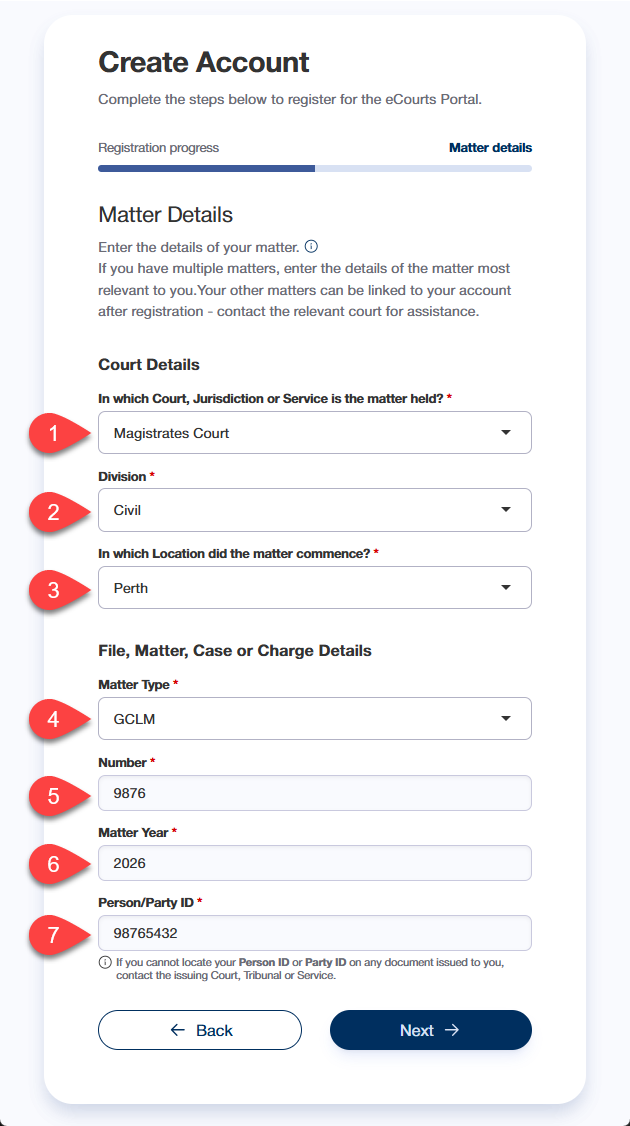
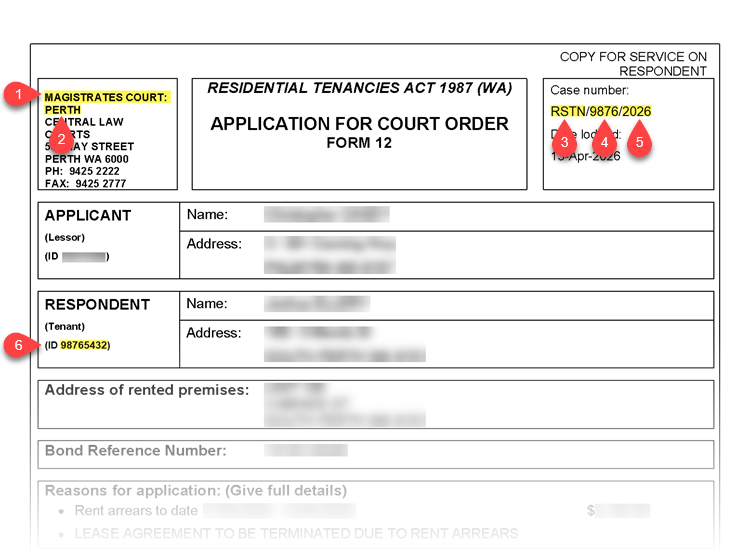
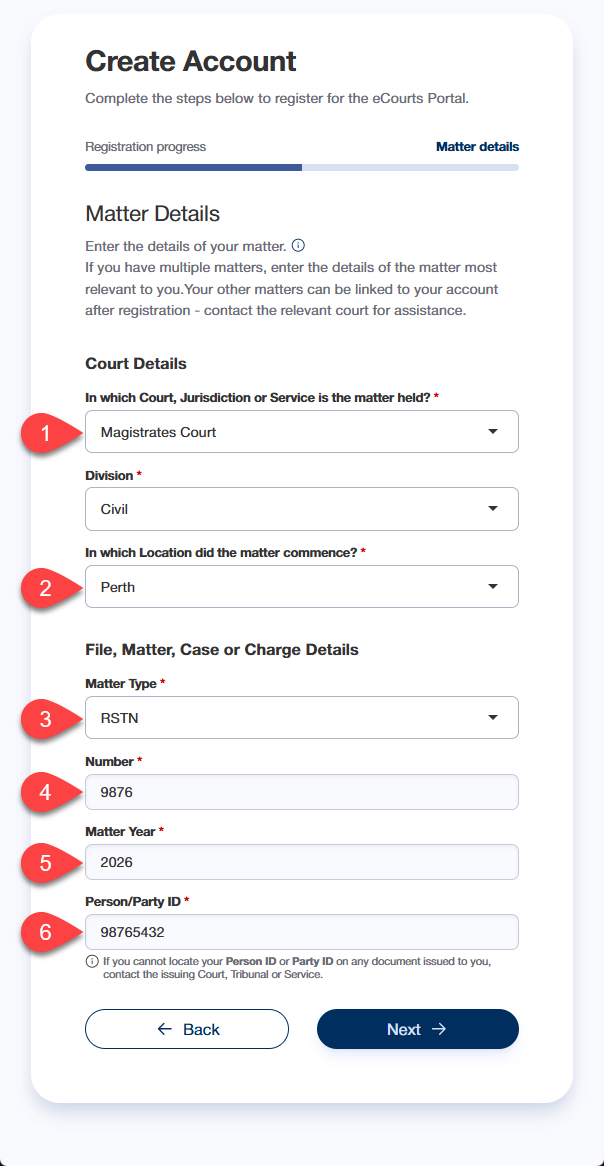
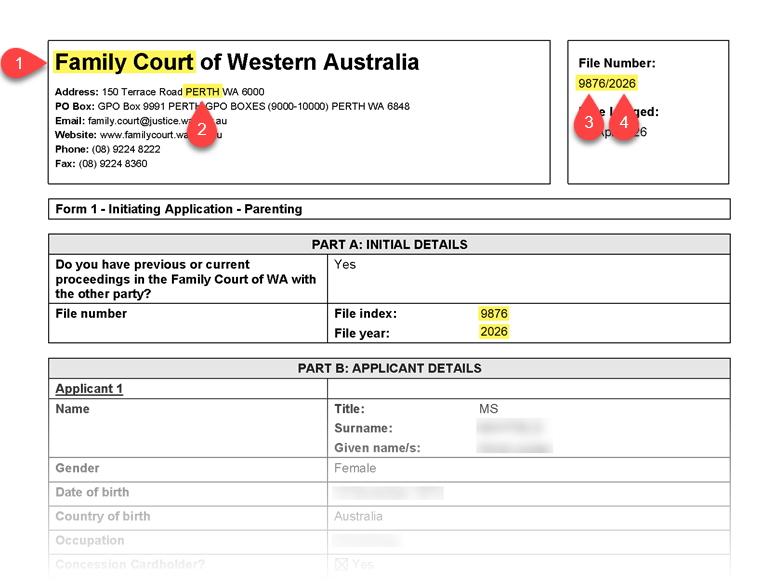
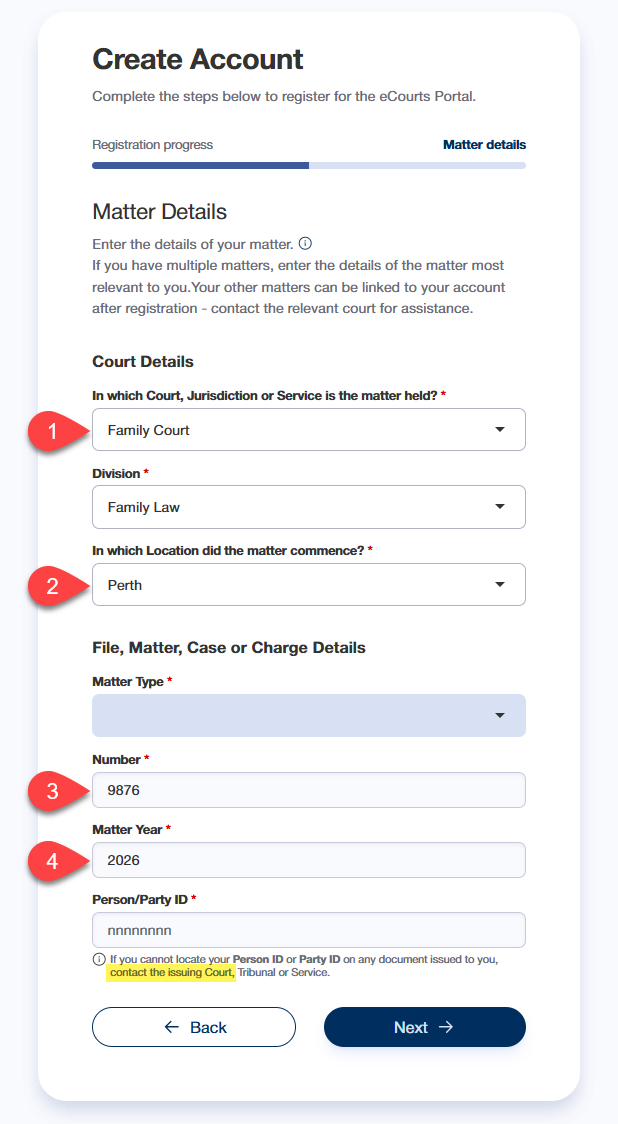
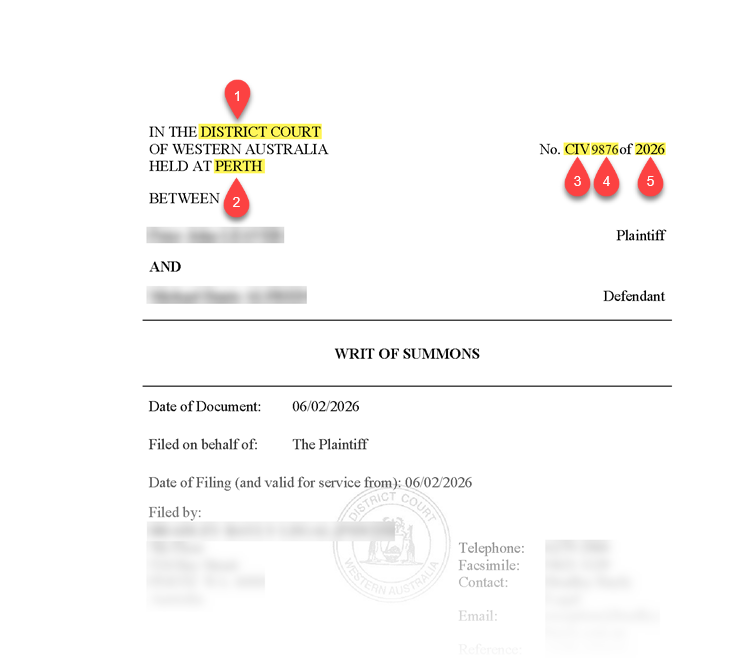
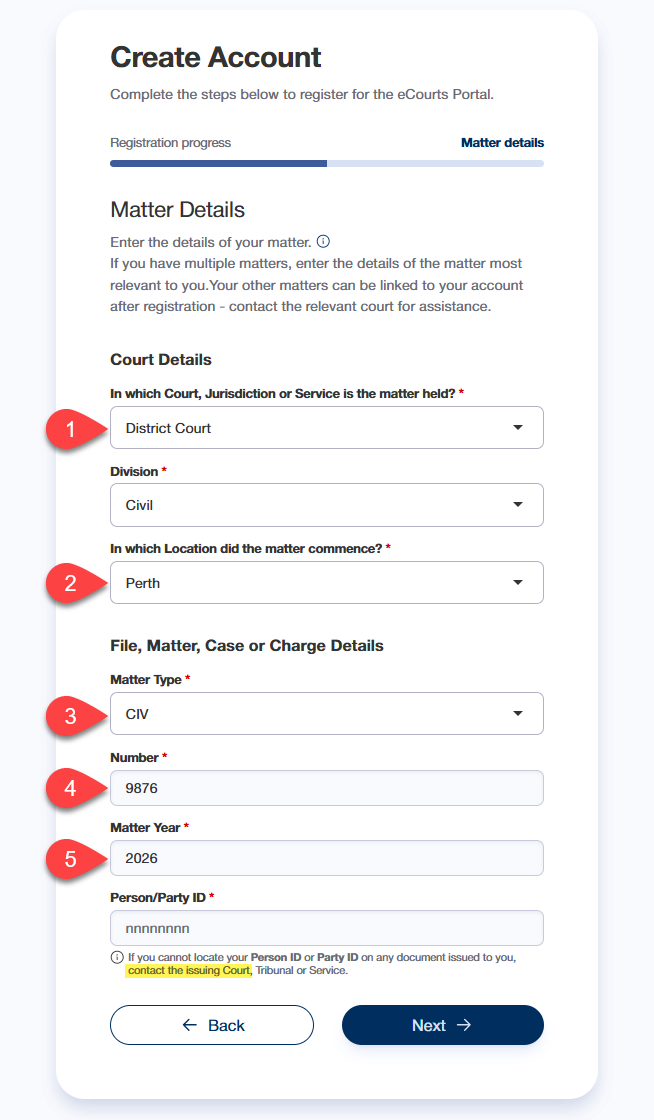
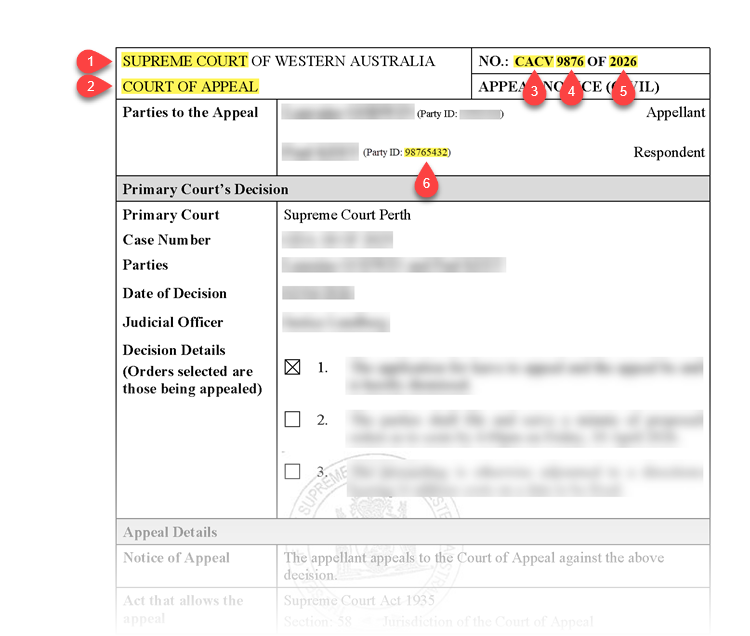
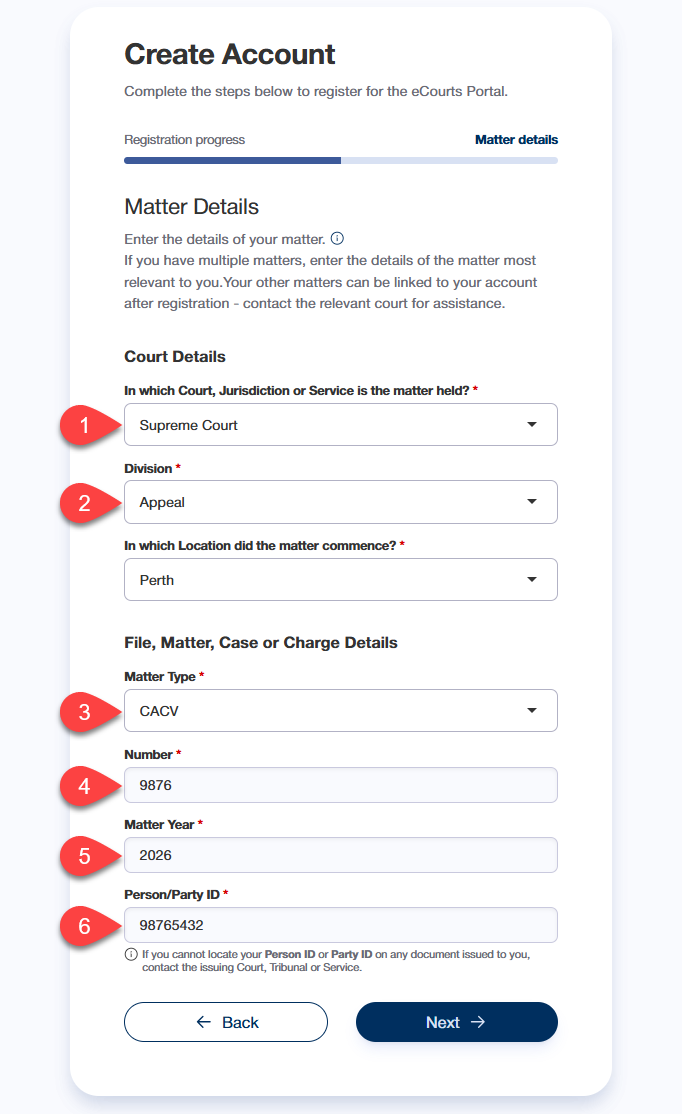
See the below examples of common court documents, highlighting the matter details & Party ID (if applicable), and where to enter these details on the Matter Details page
Magistrates Court
Application for Court Order (Residential Tenancies)
Family Court
Form 1 - Initiating Application
District Court / Supreme Court
Court of Appeal
Magistrates Court
PROSECUTION NOTICE
GENERAL PROCEDURE CLAIM
MINOR CASE CLAIM
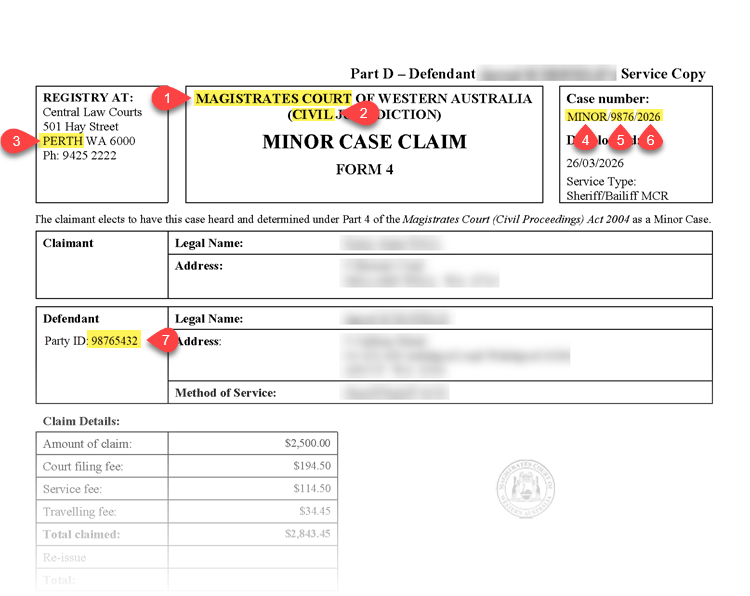
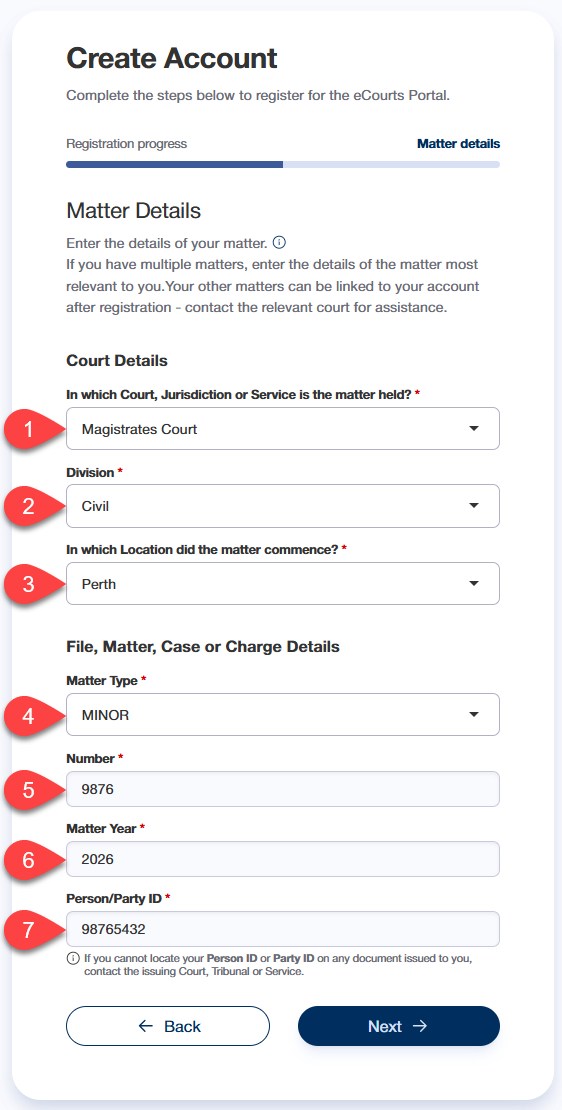
APPLICATION FOR COURT ORDER
Family Court
Form 1 - Initiating Application
District Court / Supreme Court
WRIT OF SUMMONS
Court of Appeal
APPEAL NOTICE
End of help guide