|
|
eCourts Portal of Western Australia |
|
Help and support |

Self-register an eCourts Portal account as an Individual
(Continued from: Help - Register an eCourts Portal account online)
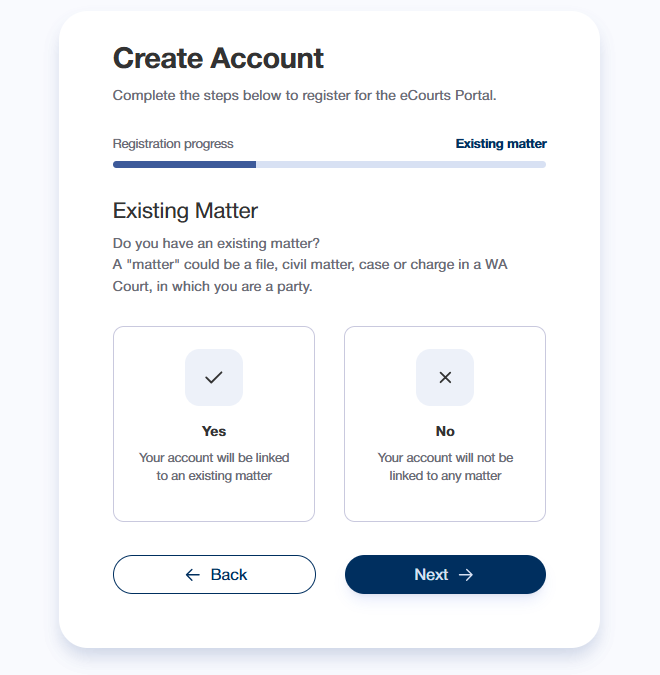
- On the Existing Matter page, select whether or not you have an existing matter
|
A "matter" could be:
|
- Select Next
Next:
- Register as an Individual with an existing matter
OR - Register as an Individual with no existing matter
Register as an Individual with an existing matter
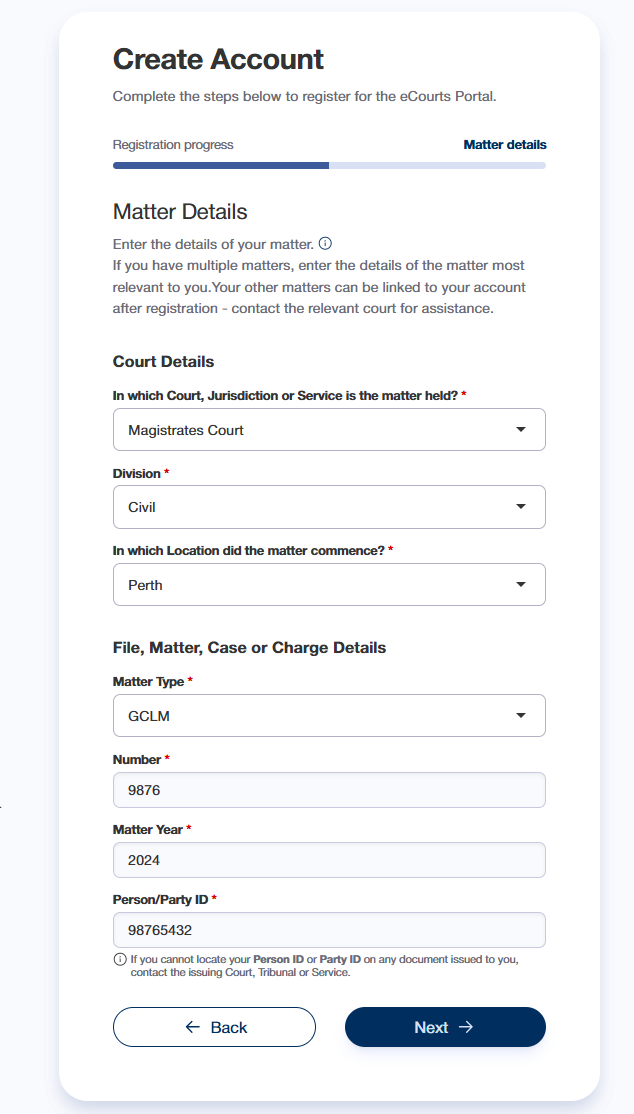
- On the Matter Details page, enter the details of your matter
|
For assistance locating the matter details on your court documents, see Help - Locate your matter details If you cannot locate the required details, contact the relevant court/tribunal registry |
- Select Next
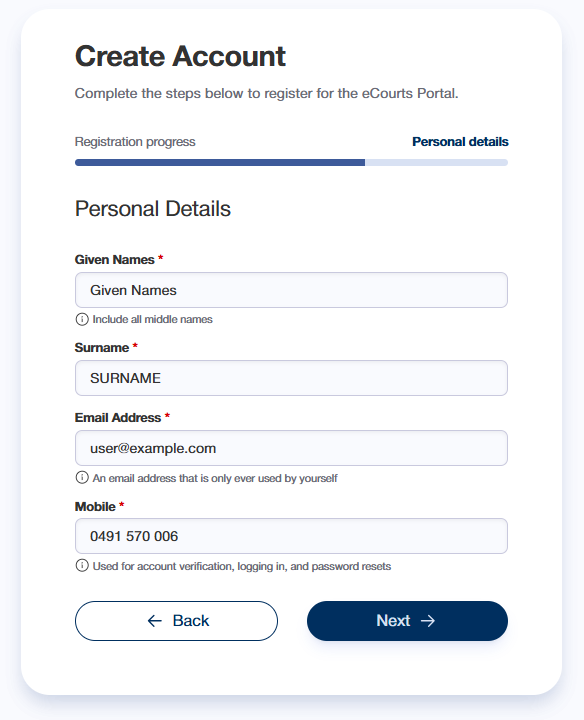
- On the Personal Details page, complete the fields
- Select Next
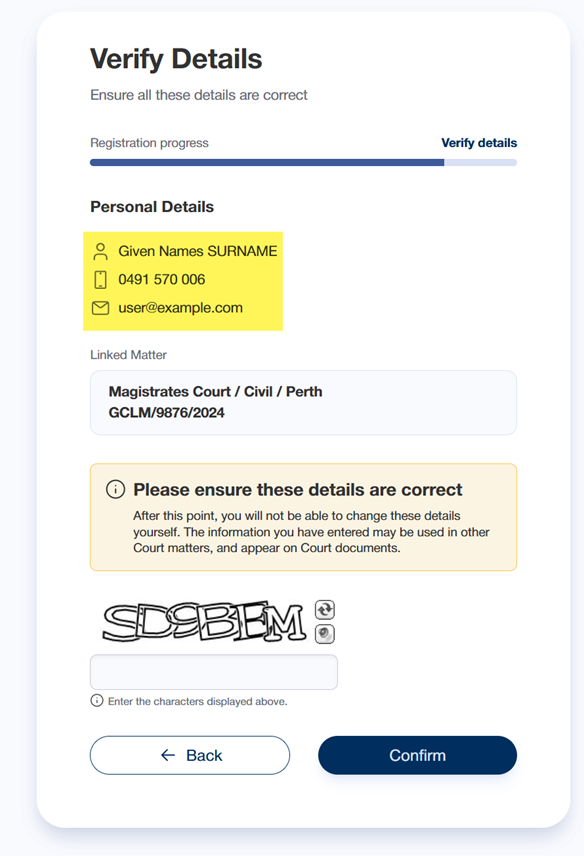
- On the Verify Details page, confirm that your personal details were entered correctly
If any details are incorrect, select Back to return the Personal Details page - Complete the CAPTCHA field - enter the characters displayed in the image above the field
- If the details are correct, select Confirm
The Account Registered page will be displayed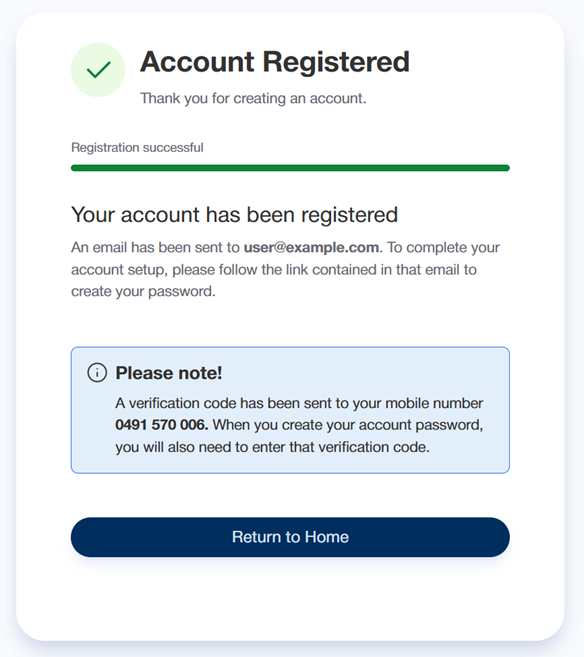
- Open the email received from CTG Helpdesk
Next: Create your eCourts Portal password
End of help guide
Register as an Individual with no existing matter
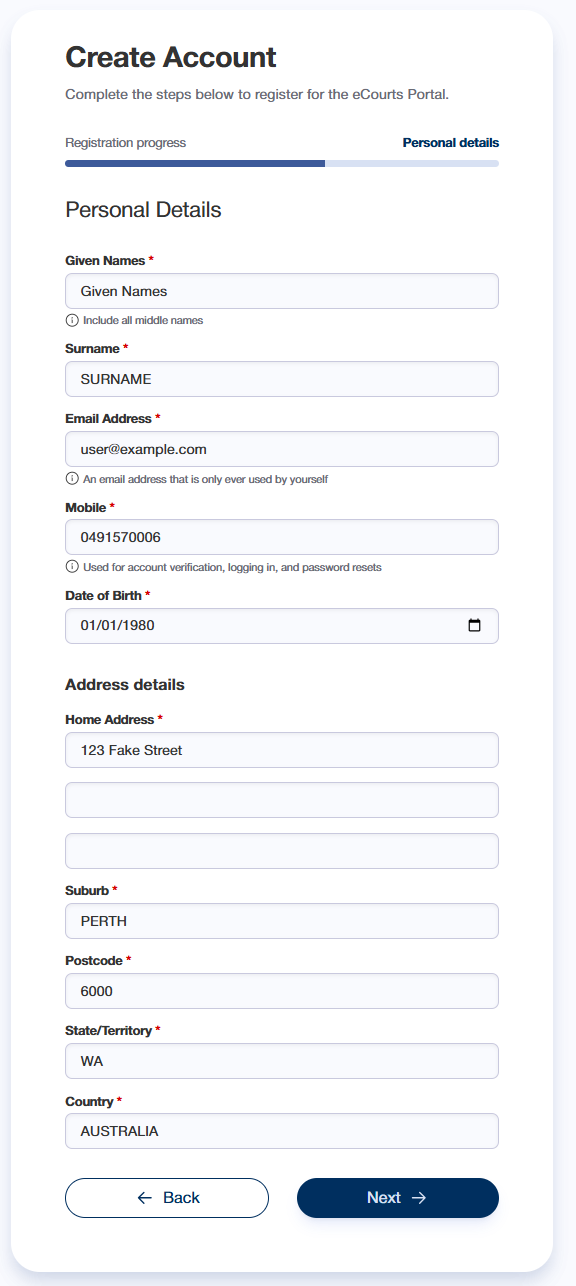
- On the Personal Details page, complete the fields
- Select Next
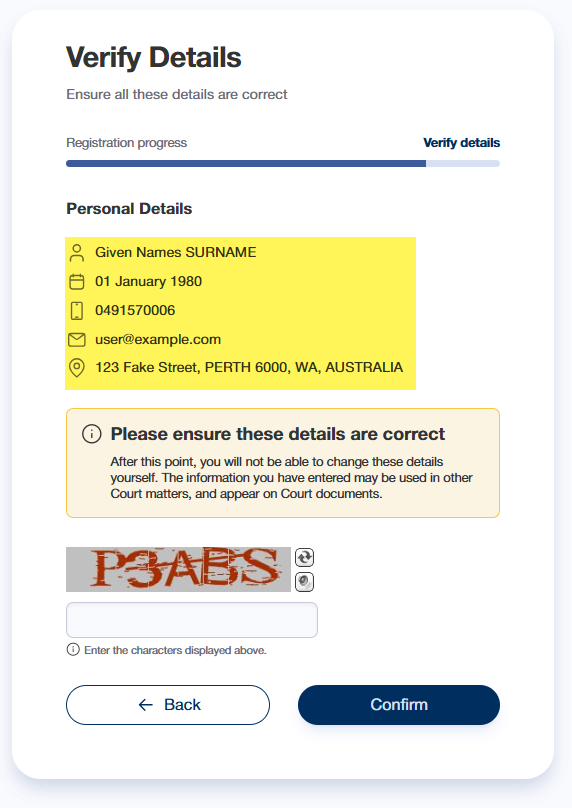
- On the Verify Details page, confirm that your personal details were entered correctly
If any details are incorrect, select Back to return the Personal Details page - Complete the CAPTCHA field - enter the characters displayed in the image above the field
- If the details are correct, select Confirm
The Account Registered page will be displayed - Open the email received from CTG Helpdesk
Next: Create your eCourts Portal password
End of help guide